
Start Your Registration in Minutes
Start using the JME Remittance app for a better experience.
- 01
Download and install the JME Remittance app
Our app is available for download on both the Google Play Store and the Apple App Store, ensuring easy access for Android and iOS users alike.
- 02
Create your account
Click New Registration and follow the steps to create your username and password, and confirm your email by entering the OTP received in it.
- 03
Complete your registration for secure account verification
Fill in the required information, upload a valid ID and a document showing your address, and agree to the terms and conditions to verify your account. Once submitted, our team will review your details. After approval, you'll receive a welcome letter with your transaction PIN.
- 04
Change your transaction PIN after receiving the welcome letter
Once you receive our welcome letter, you'll get a notification on your dashboard to change your transaction PIN. Simply click the notification ribbon to update your PIN for added security.
- 05
Start transferring money easily and securely
With everything set up, you can now transfer money quickly and securely. Enjoy a seamless experience with just a few clicks on your dashboard.
Getting set up, screen by screen
Register once and verify who you are — after that, sending takes a couple of taps.
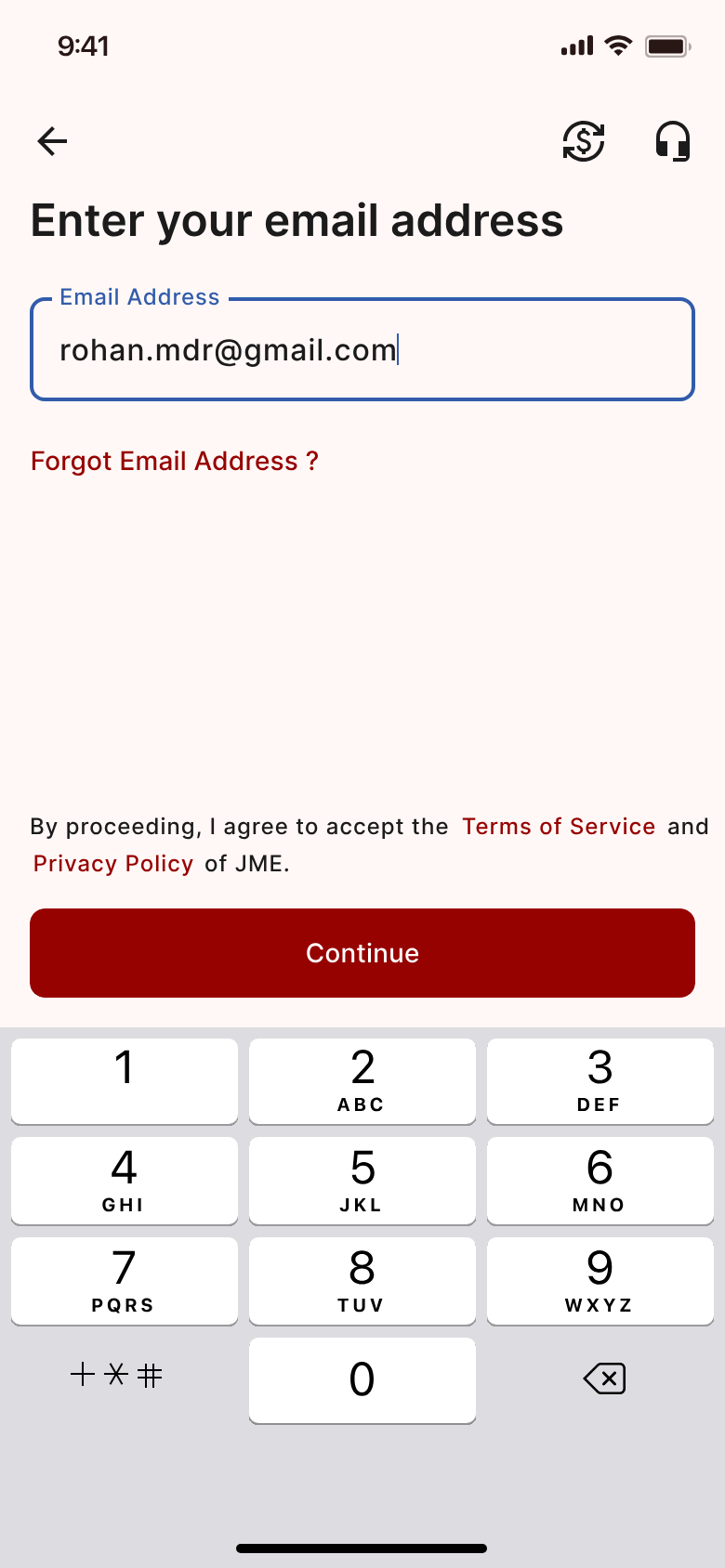
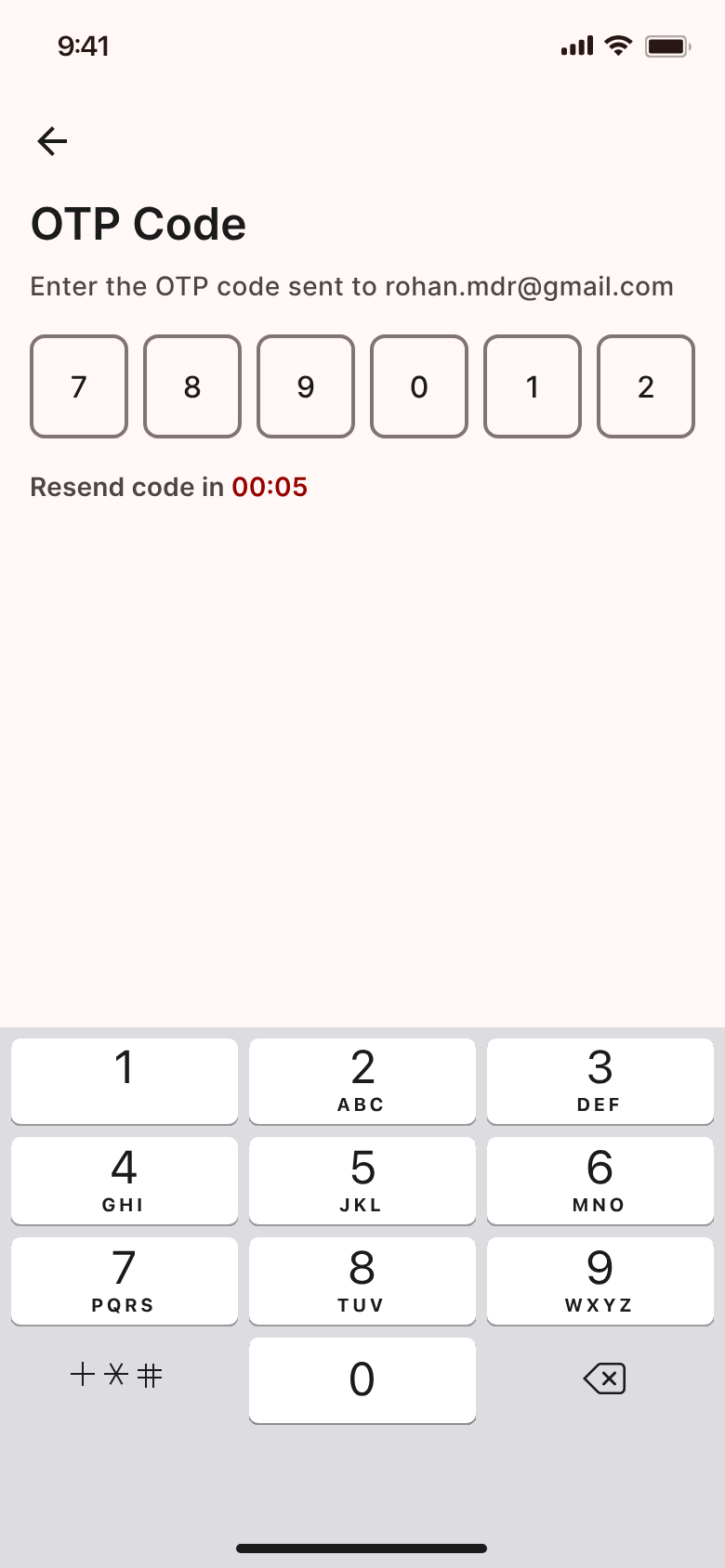
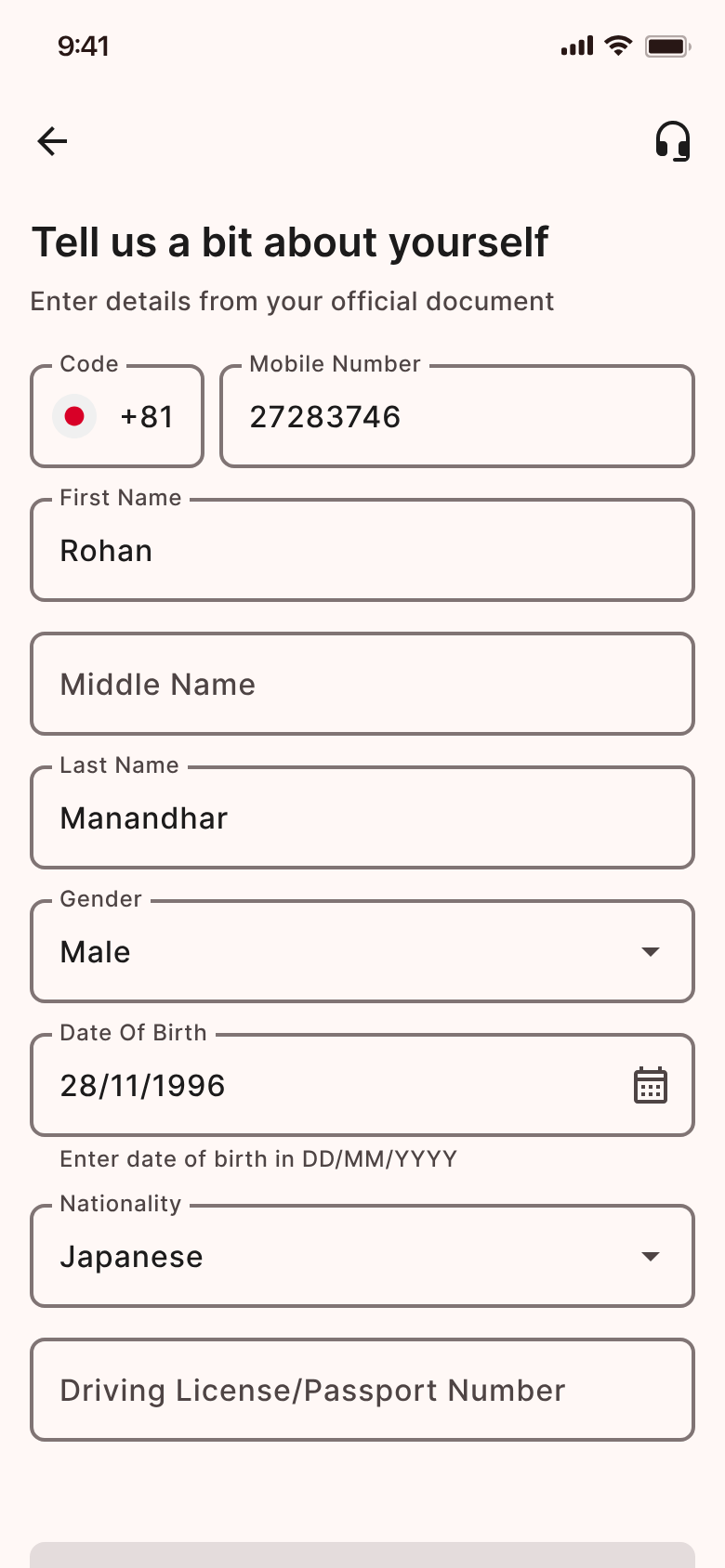
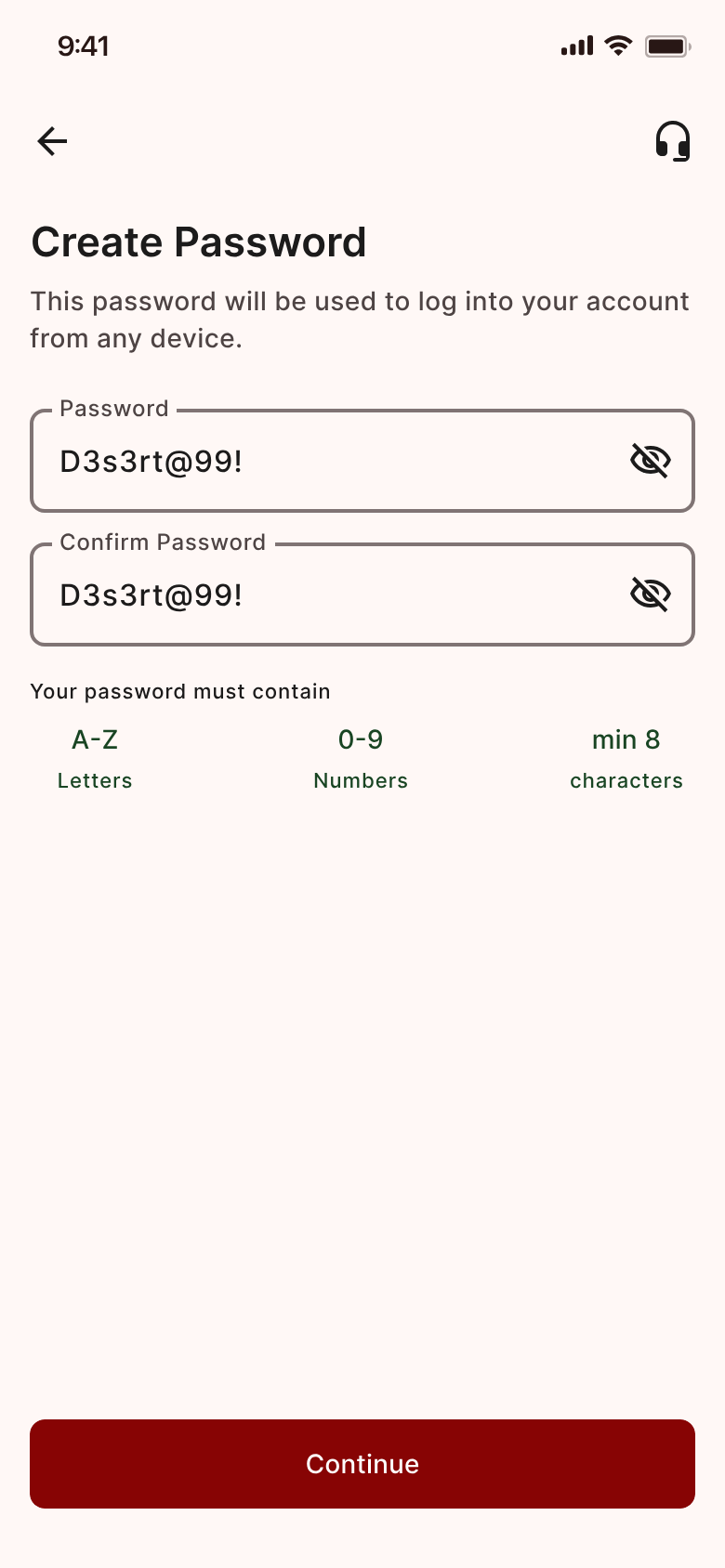
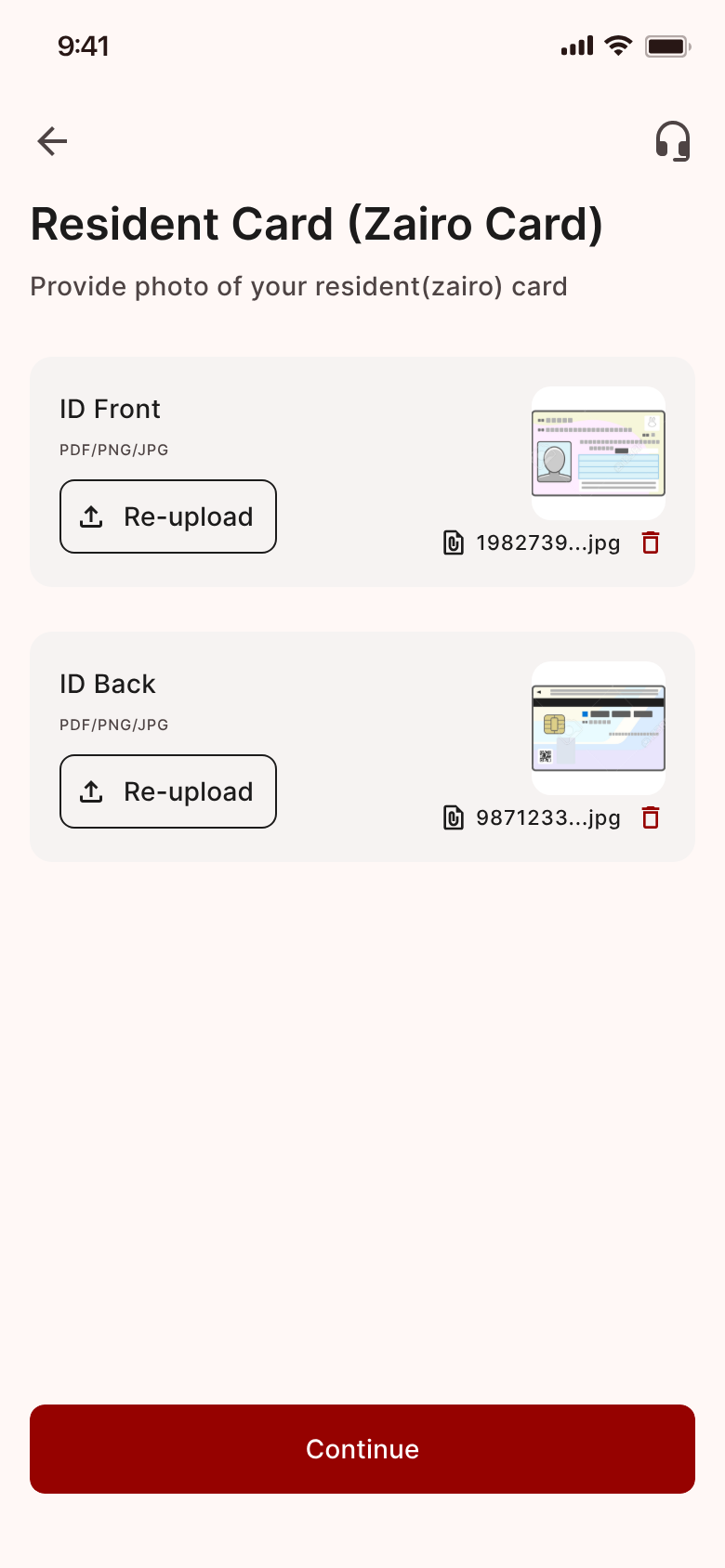
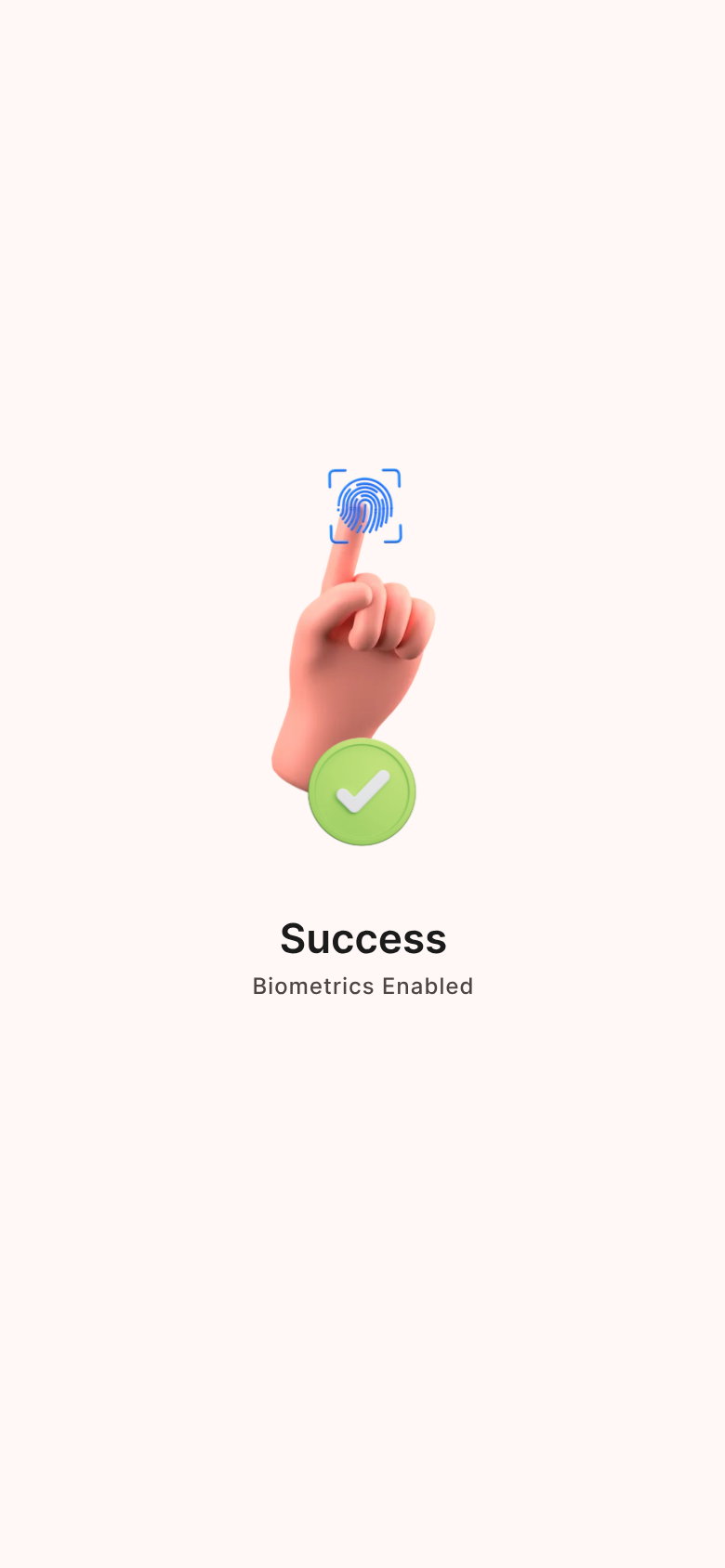
Enter your email. Your email is the account. No branch visit — complete the process online.
Preview of an updated app design — details and wording may change before release. Names and numbers shown are examples, not real customer data.
Six screens, start to sent
The real send flow in the Japan Remit app — pick your language, choose where the money goes, and confirm.
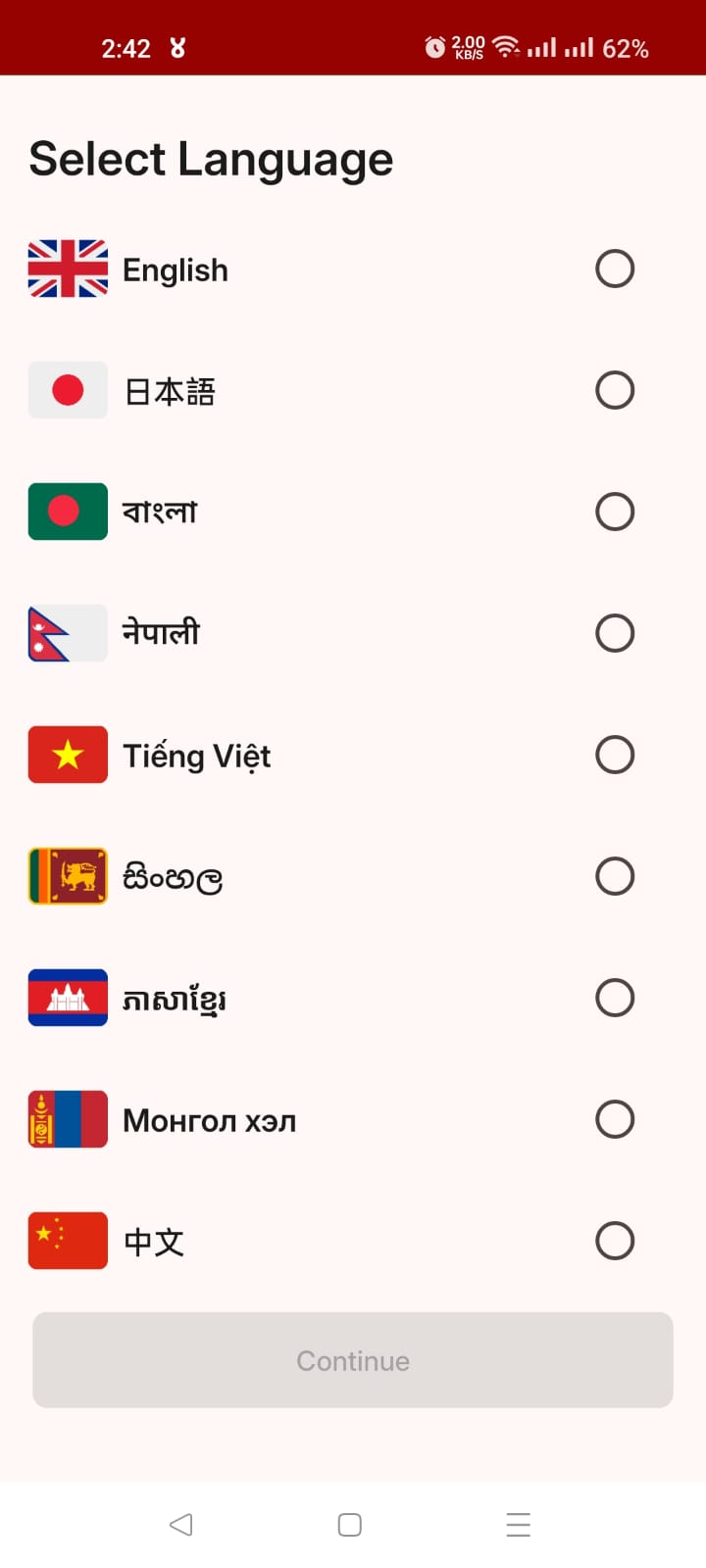
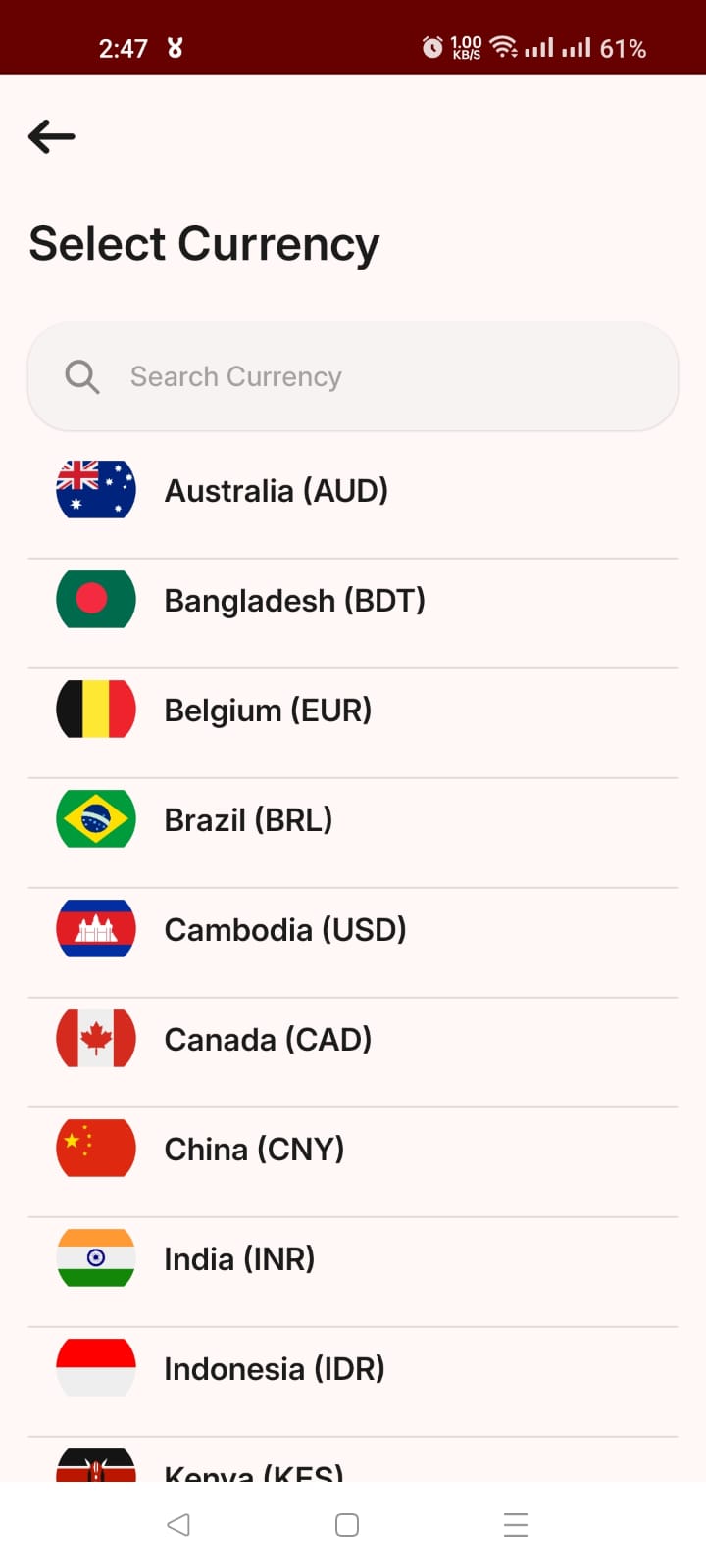
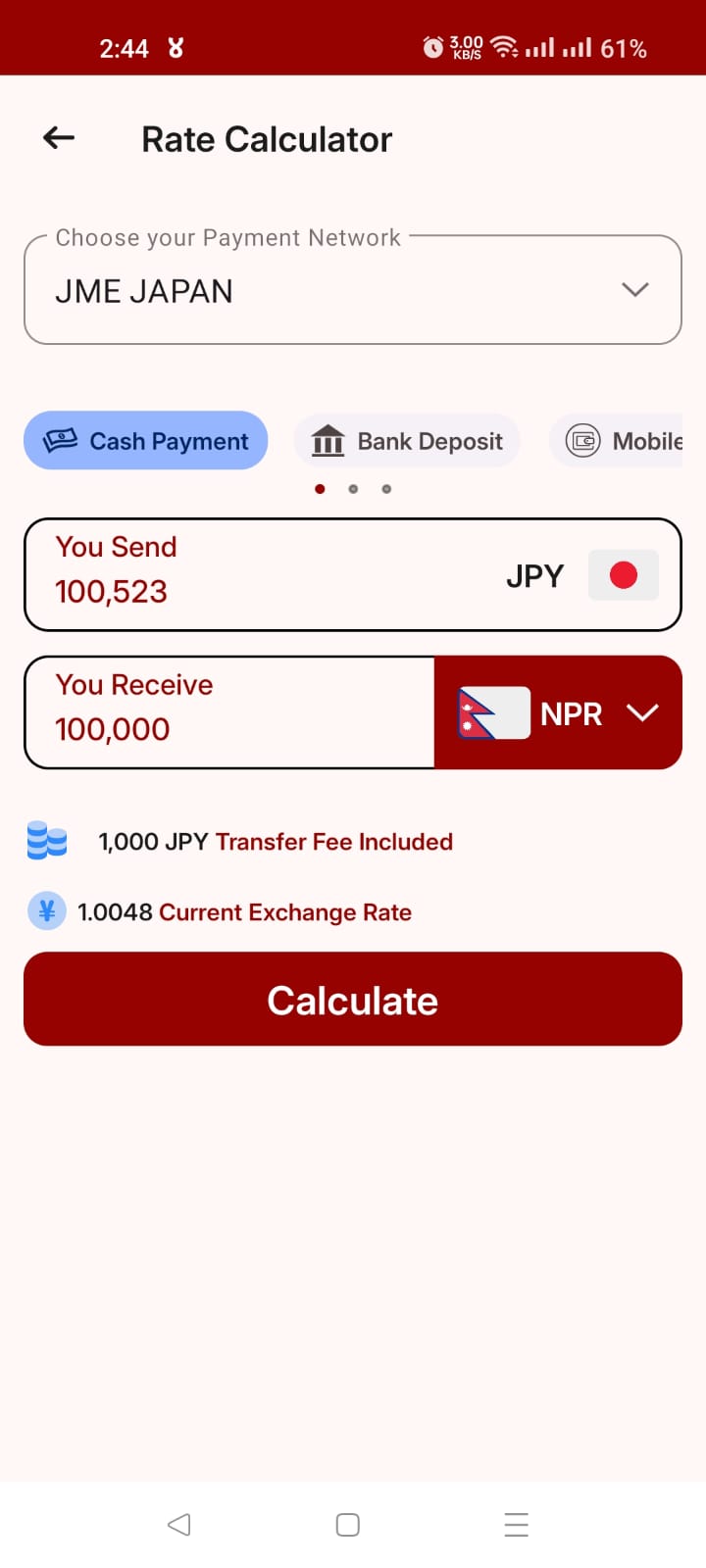
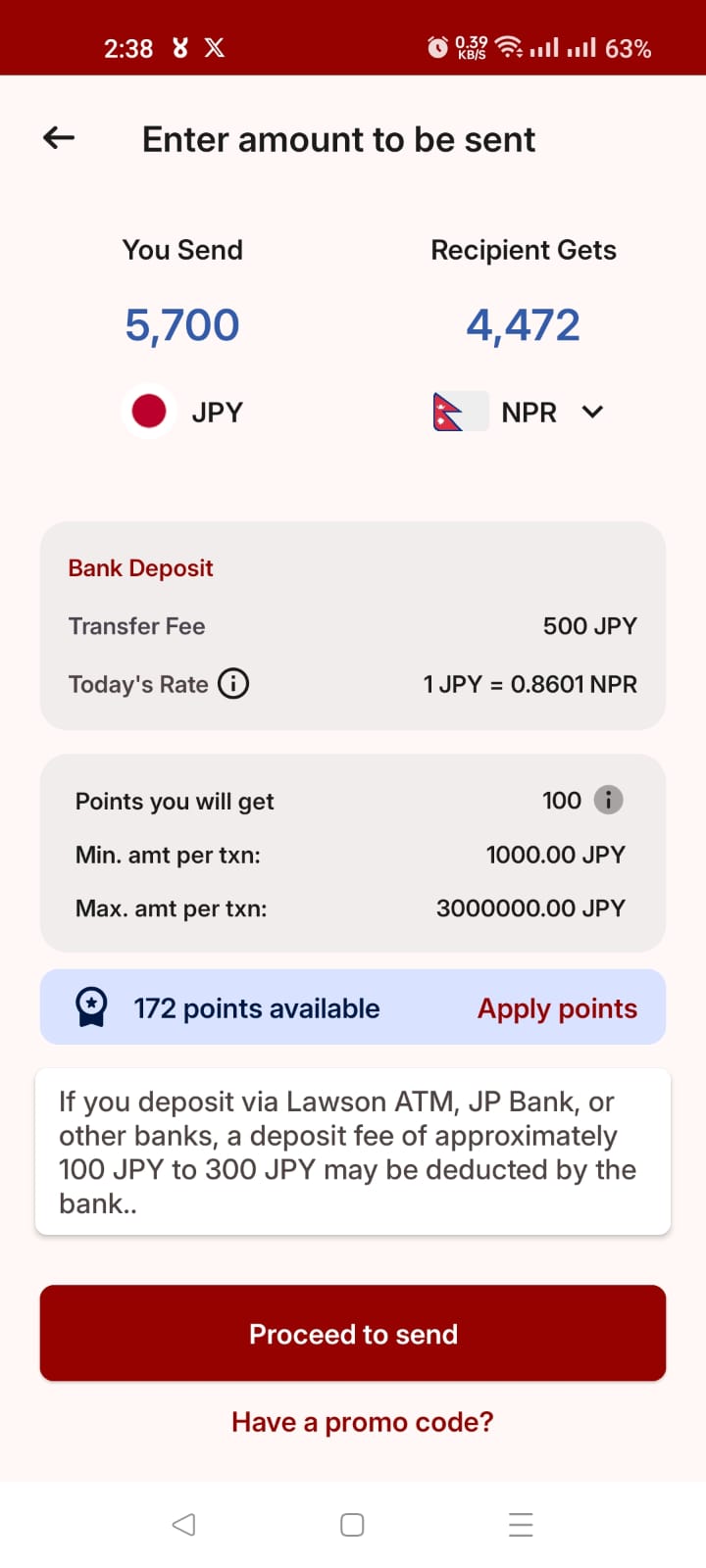
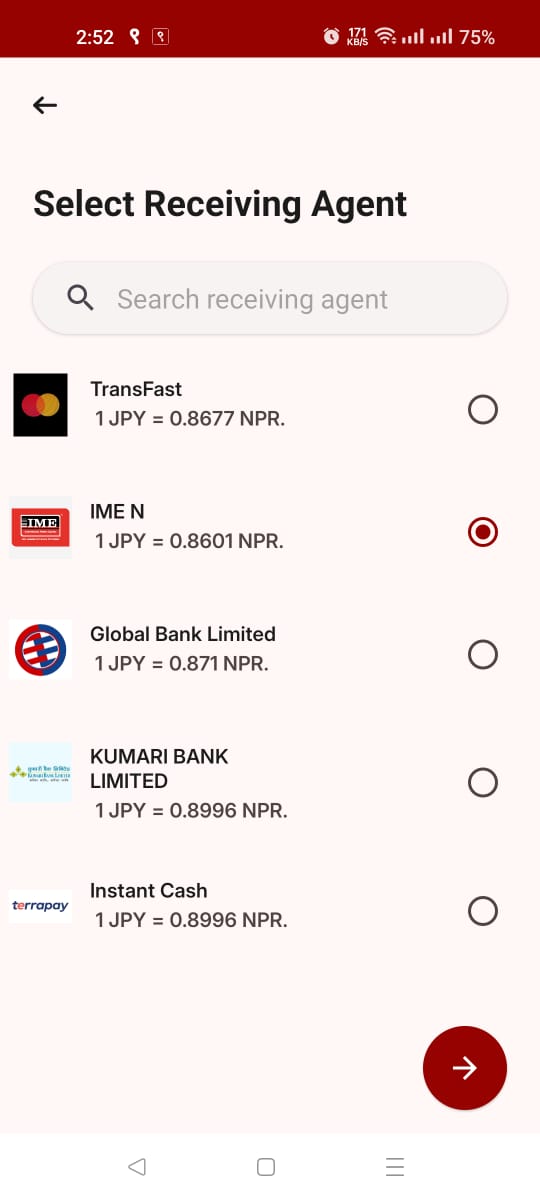
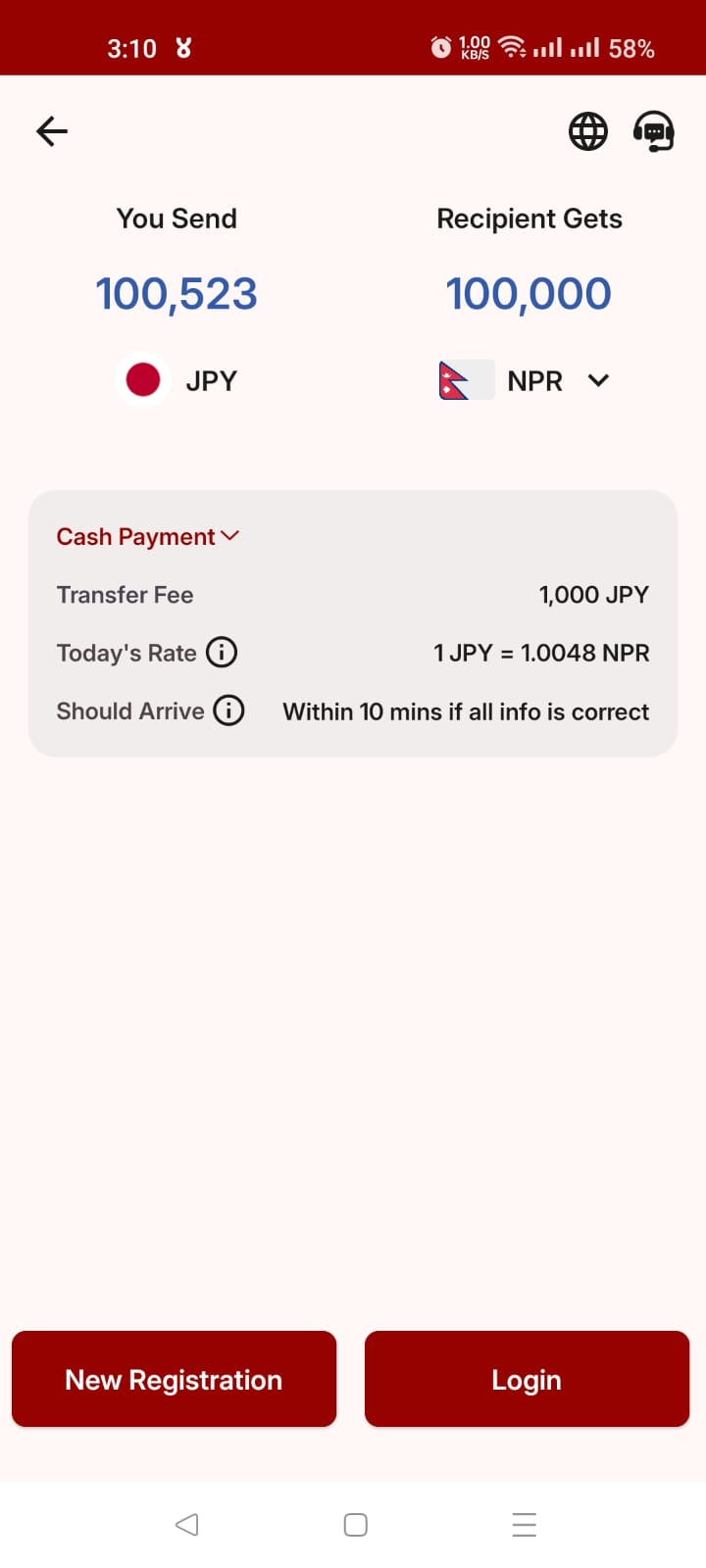
Pick your language. Nine languages on the first screen, so the app speaks yours from the start.
Screens are real captures of the Japan Remit app. Amounts and rates shown in them are examples from the moment of capture, not live figures.
Follow your money, end to end
From the moment you confirm in Japan to the moment it lands. Here is every stage of a transfer, with nothing hidden in between.
- 01
Register once
Create an account in the app and complete your identity verification.
- Sign up with email or mobile
- Complete your identity verification
- Your details stay protected
- 02
Check the rate, choose how to pay
Enter an amount and see the rate, the fee and what your family receives before you commit.
- Counter cash
- JP Post furikomi
- Lawson deposit
- 03
Send and track
Confirm the transfer and follow it in real time. You will know where it is at every stage.
- Real-time tracking
- Support on WhatsApp or Viber
- 04
It arrives
Your recipient collects it the way that suits them best.
- Cash pick-up
- Bank deposit
- Mobile wallet
- You pay exactly
- ¥100,000.00
- Recipients get
- रू 89,000.00
- Arrival estimate
- Shown in the app
Reference rate, shown for illustration. The live rate is confirmed in the app before you send.
Ready to send money home?
Create your account and make your first transfer from Japan.
Start Your Registration in Minutes
Register with us to start sending your remittance. Choose the way that suits you — in person, or entirely in the app.
Valid IDs for registration
For foreign nationals
Residence Card (Zairyū Card).
For Japanese nationals
Passport or driving licence (or another photo ID).
Registering without visiting us in person? You'll also need a copy of a secondary ID or a document showing your address — for example a utility bill, driving licence, Jūminhyō, insurance card or My Number Card. For details, contact us on 03-5475-3913 or info@japanremit.com.
Over the counter
Visit a JME counter or registered agent in person to register. Bring a valid ID — your Residence Card, driving licence or passport.
Find a counter or agentOnline, in the app
The JME Remittance app lets you register without ever visiting us.
- 1Download and install the JME Remittance app from the App Store or Google Play.
- 2Tap New Registration and follow the steps to create your username and password.
- 3Confirm your email by entering the OTP sent to it.
- 4Fill in the required information.
- 5Photograph your valid ID and a document showing your address.
- 6Agree to the terms and conditions.
After you submit
Your request reaches us and our staff verify your details and approve it. We then post a welcome letter to your address with your transaction PIN inside. On your dashboard you'll see a notification to change your transaction PIN — once the welcome letter arrives, tap the notification to change it.
Ready to send money home?
Download the Japan Remit app and complete your first transfer today.